

Home & Decor Blogs: DIY, Interior Design & Lifestyle Ideas
What Happens When You Try Managing a Rental Property With Spreadsheets and a Phone

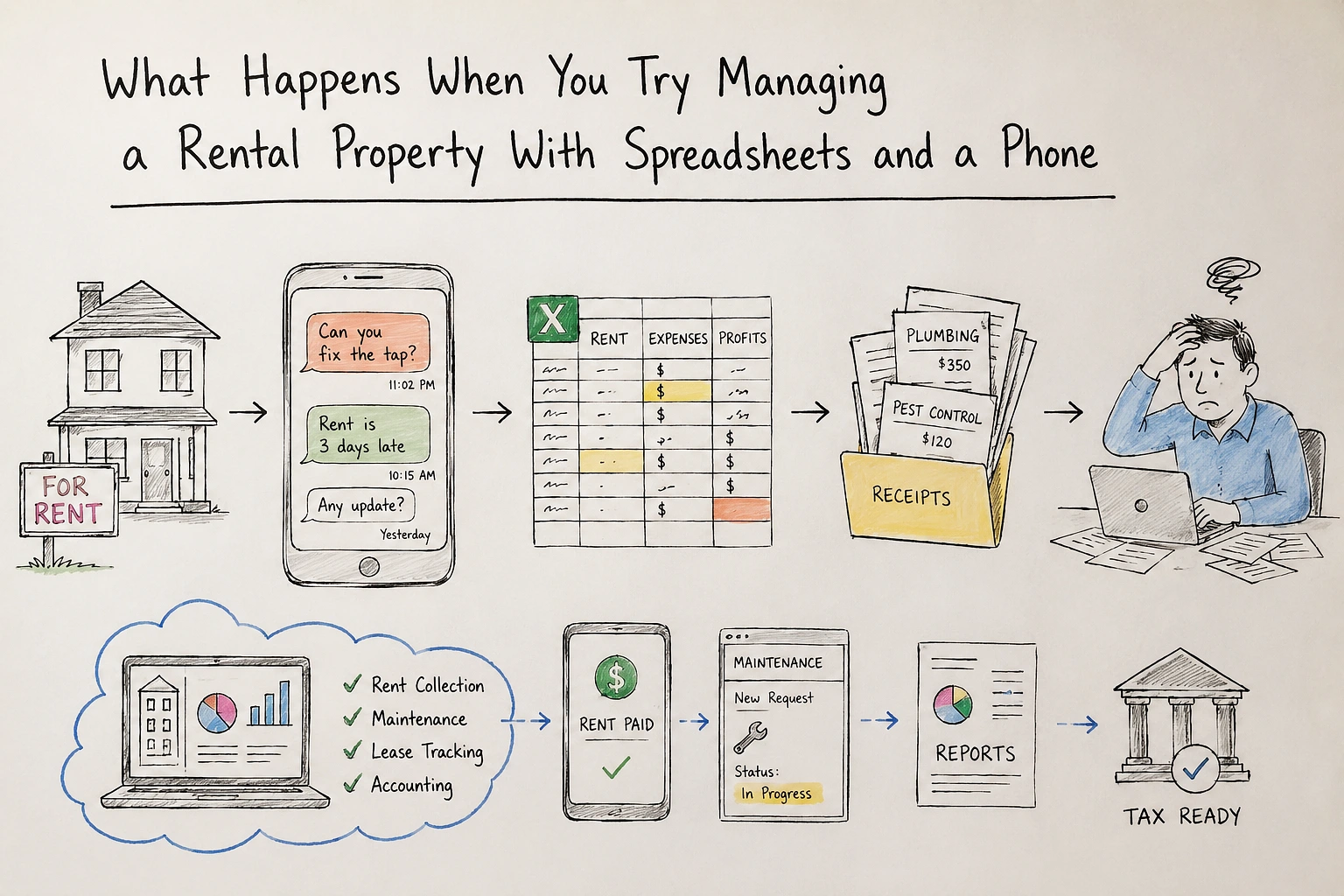
You kept your old house when you moved. Or maybe you inherited a place from family and figured renting it out makes more sense than selling. Either way you are now a landlord, which nobody really prepares you for, and you are running the whole thing off a spreadsheet and your personal phone and a folder of receipts stuffed into a drawer somewhere.
It works for about six months. Then the tenant texts you at eleven at night about a leaking tap and you forget to follow up because the message got buried under personal texts, and then rent is three days late and you are not sure if you should charge a fee or let it slide, and then tax season hits and you realise you have been tracking expenses in a Notes app and a bank statement you never reconciled.
That is the point where most small landlords start looking at software. Not because they want to run a property empire but because the manual approach quietly fell apart and they need something that handles the boring repetitive stuff so they can stop thinking about it constantly.
The Actual Problems Software Fixes (and the Ones It Does Not)
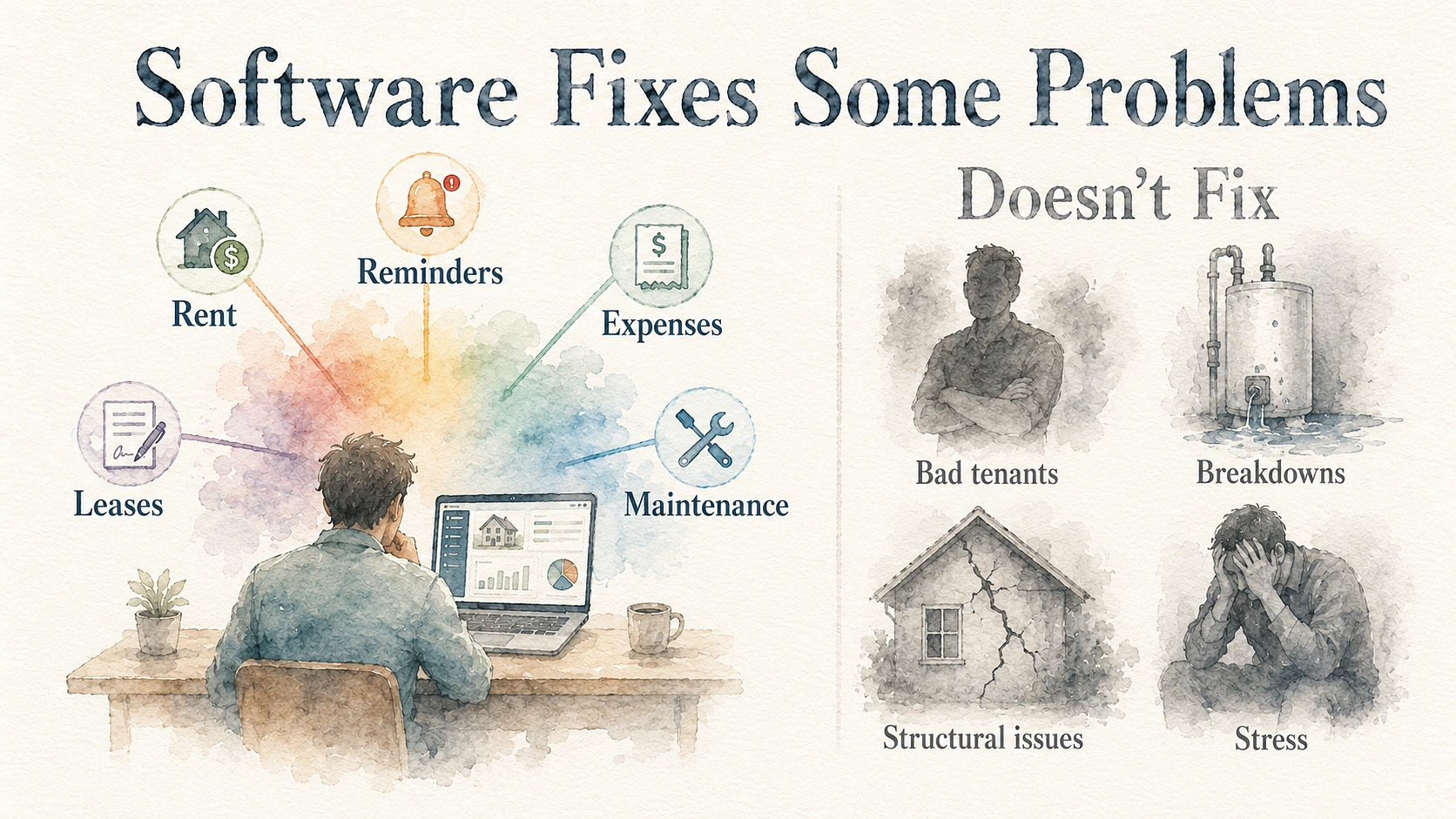
Software is not going to find you better tenants or stop your water heater from dying at the worst possible time. What it does is handle the admin layer that eats your evenings — rent tracking, payment reminders, expense logging, lease dates, and maintenance records. The stuff that is easy to do once but impossible to keep up with manually across twelve months.
- Rent collection is the obvious one. You set up online payments and the tenant pays through a portal instead of bank transfers where you are manually checking your account every month trying to match deposits to names. Late payment reminders go out automatically. You can see who has paid and who hasn’t without opening your banking app and scrolling.
- Maintenance tracking is the one people underestimate. When a tenant reports a problem through a proper system it gets logged with a date and a description and you can assign a contractor and track whether it got done. Compare that to a text thread where the tenant said “hey the bathroom fan is making a weird noise” three weeks ago and you completely forgot because it was sandwiched between a photo of the meter reading and a question about parking.
- Lease management sounds boring until you miss a renewal date. Most platforms send you automated reminders before a lease expires so you are not scrambling to figure out terms two days before it lapses. Documents get stored in one place instead of scattered across email attachments and a filing cabinet you haven’t opened since you signed the original agreement.
What software does not fix: bad tenants, structural problems with the property, or the emotional weight of being responsible for someone else’s home. Those are landlord problems, not software problems. Worth keeping that distinction clear because the marketing around these tools sometimes makes it sound like everything gets solved with a dashboard.
Why Bookkeeping Is the Part That Actually Costs You Money When You Get It Wrong
Rent coming in, expenses going out, that sounds simple enough to track manually. And it is — until you need to prove it to someone.
Tax season is where most small landlords discover their record keeping has gaps. You replaced the oven in March but the receipt is somewhere in your email. The plumber came twice but you only logged one visit. You paid for pest control out of your personal account and forgot to separate it. Now you are sitting with your accountant trying to reconstruct a year of expenses from bank statements and memory, and every deduction you cannot document is a deduction you lose.
A property management bookkeeping software system with a tenant portal handles the intake side of this — rent payments come in through the portal and get recorded automatically against the right property, maintenance requests create trackable work orders with costs attached, and tenants can access their own payment history and documents without calling you. That payment and maintenance data feeds directly into your accounting, so when you pay a contractor you log it against the property and the category — maintenance, home improvement, insurance, whatever applies. Platforms like SimplifyEm also generate IRS-categorised reports, attach receipts to individual transactions, and export to QuickBooks or Excel so your accountant is not rebuilding your books from scratch every April.
The numbers matter more than people realise for small portfolios. On a single rental bringing in thirty to forty thousand a year, missing two or three thousand in deductible expenses because you could not find the receipts means you are paying tax on income you did not actually keep. Do that across three or four years and the amount you overpaid would have covered the software subscription several times over.
One Property or Five — When Does Software Make Sense?
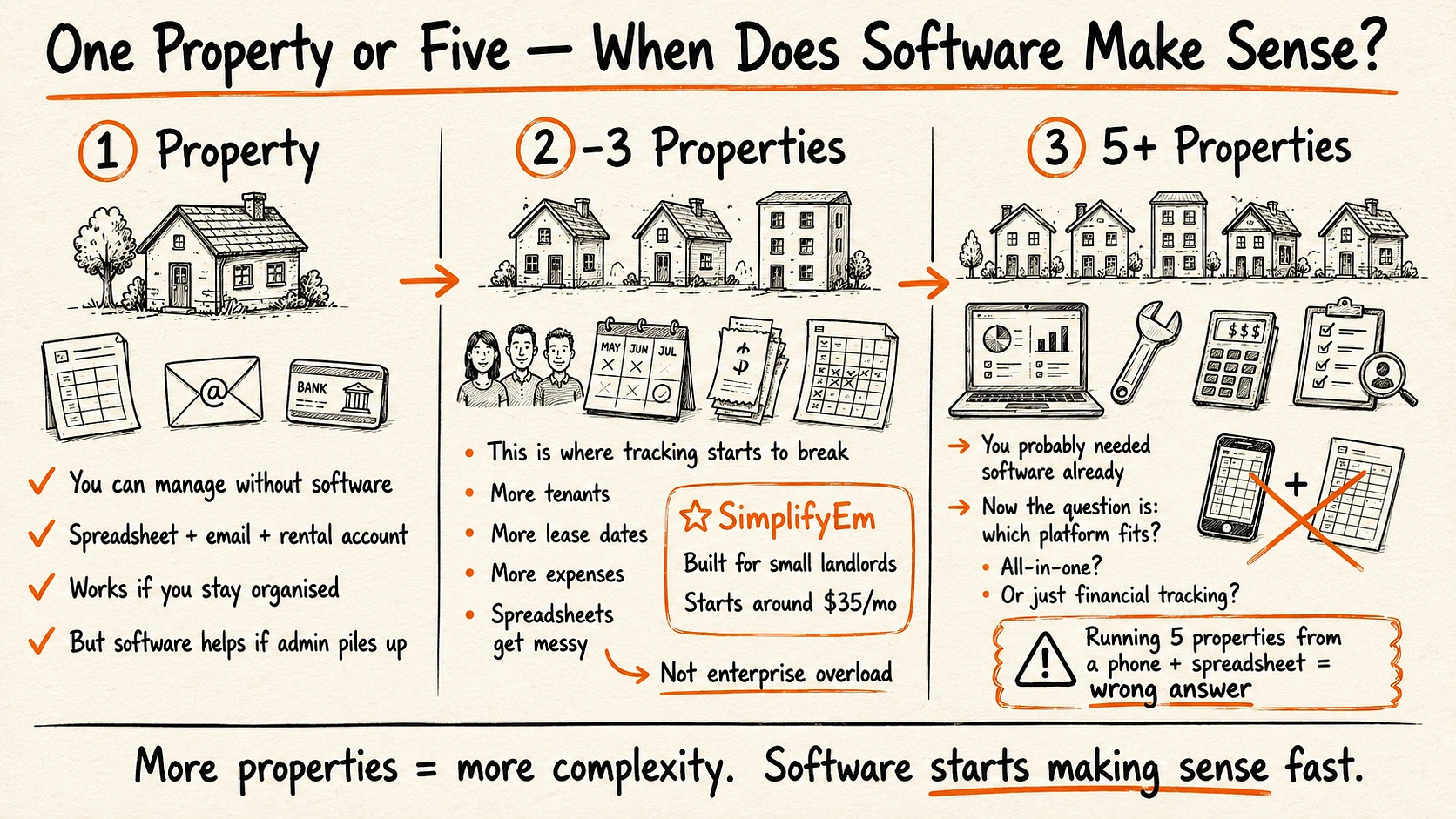
One property: Honestly, you can get away without it if you are organised. A spreadsheet and a dedicated email address and a separate bank account for the rental will cover the basics. But if you are the kind of person who lets admin pile up — and most people are — even a basic platform saves you from the tax season scramble and the “did they pay this month” guessing game.
Two to three properties: This is where manual tracking starts breaking. You are dealing with multiple tenants, multiple lease dates, multiple sets of expenses, and the spreadsheet gets complicated enough that you stop updating it consistently. Which defeats the purpose of having it. A tool like SimplifyEm Property Management Software handles the multi-property layer without being built for massive commercial portfolios — plans start around thirty-five dollars a month for small unit counts with core features consistent across tiers, which means you are not paying for enterprise-level tools you will never touch or learning a system designed for someone managing two hundred units.
Five or more: You probably needed software two properties ago. At this scale the question is not whether to use a platform but which one fits how you operate. Some landlords want everything in one system — rent, maintenance, accounting, tenant screening. Others just want the financial tracking and handle the rest themselves. There is no single right answer but trying to run five properties off a phone and a spreadsheet is the wrong one.
What to Look at Before Picking Anything
Most comparison articles give you a feature checklist that reads like a product brochure. Here is what actually matters when you are choosing between platforms as a small landlord.
- Does it charge per unit or flat monthly? Per-unit pricing makes sense for large portfolios where the cost scales with revenue. For a small landlord with two or three properties it can feel like you are paying for the privilege of being small. Flat pricing or free tiers for limited unit counts are more practical at this level.
- Can your tenants actually use it? A tenant portal only works if the tenant finds it easier than texting you directly. If the interface is clunky or requires a separate app download that the tenant never bothers with, you are back to managing everything through your phone anyway. Ask for a demo of the tenant-facing side, not just the landlord dashboard.
- Does the accounting export to your tax software or accountant’s format? This is the one that saves real money. If the platform generates reports your accountant can work with directly — categorised expenses, income statements, receipt attachments — that cuts their billable hours which cuts your accounting cost. If the reports are in some proprietary format your accountant has never seen, you are just adding an extra step.
- Is the mobile experience functional or just a shrunken desktop page? You are going to check this on your phone at nine at night when a tenant messages about something. If the mobile version is slow or the buttons are tiny or you cannot approve a maintenance request without switching to a laptop, it does not matter how good the desktop version looks.
The property management software market is full of platforms built for professional management companies running hundreds of doors. That is great for them but it is not what a homeowner with one or two rentals needs. What you need is something that stops the admin from piling up, keeps your finances clean enough that tax season is not a disaster, and lets you respond to your tenant without it taking over your personal life. That is a pretty low bar honestly, but most landlords who are still running things manually haven’t cleared it yet, and they do not realise how much that is actually costing them until they sit down with their accountant and start counting the gaps.
 Decor & Improvement Accessories